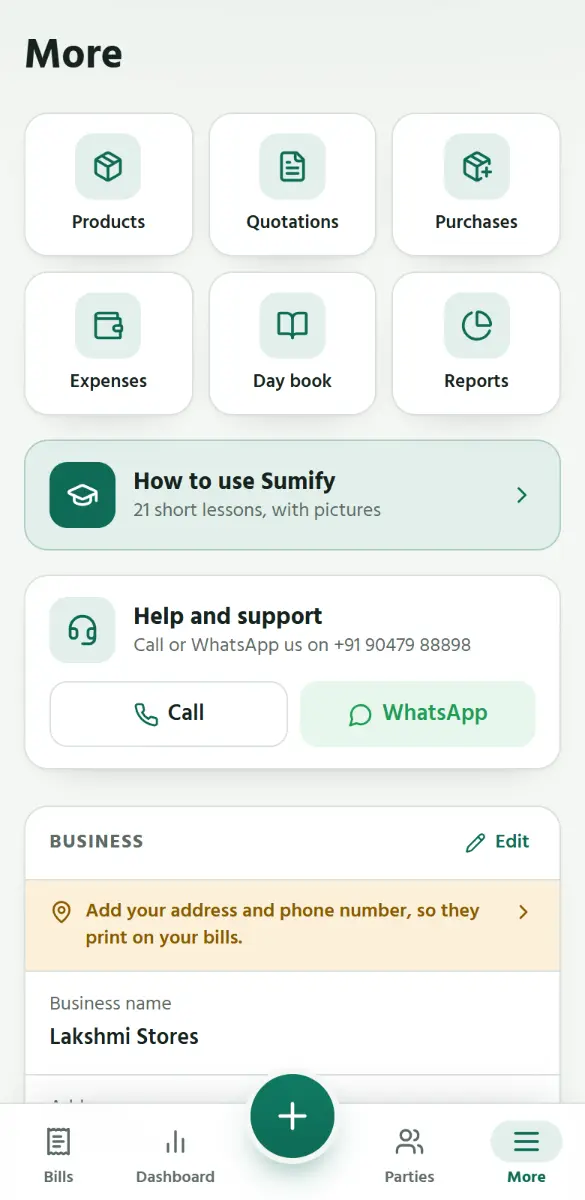
Add your products
Step 1 of 6
EN
தமிழ்
1
Open
More
, then
Products
.
1
Open More, then Products.
2
Tap Add.
3
Type the product’s name.
4
Type the selling price.
5
How many do you have now? Type it here.
6
Tap Save product. It is on the bill screen at once.
Back
Next
Tap the picture, or swipe, for the next step.
Back
Next