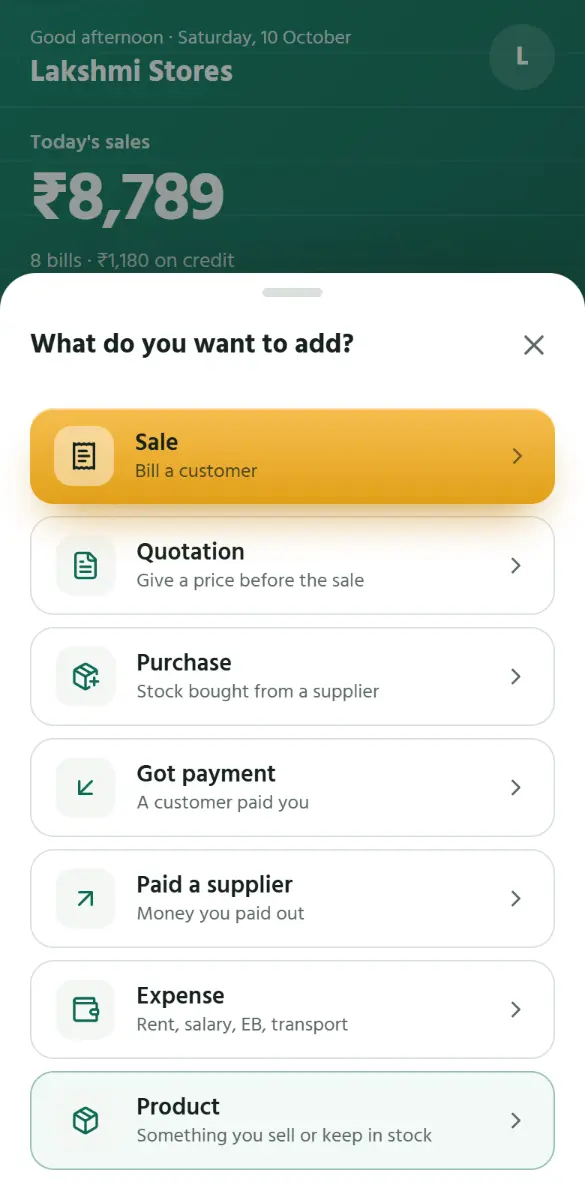
A purchase from a supplier
Step 1 of 6
EN
தமிழ்
1
Tap
+
, then
Purchase
.
1
Tap +, then Purchase.
2
Tap Bought from and pick the supplier.
3
Type their bill’s number and its date.
4
Tap what you bought. The prices are what it cost you.
5
Paid now, part, or on credit: as on a bill.
6
Saved. When you pay them, tap Pay supplier here.
Back
Next
Tap the picture, or swipe, for the next step.
Back
Next