Accounting
Your shop’s accounts, kept as you bill
Every bill, purchase, payment and expense you enter goes into the books by itself. There is no second book to write up at night: the day book, what each customer owes, the profit and the GST are done already.
Free to start. No card needed.
Cash in hand, and who owes what
The dashboard has today’s sales, what you’ll get from customers and what you’ll give to suppliers, the cash in hand, and what is in the bank and on UPI.
See how: Find your way around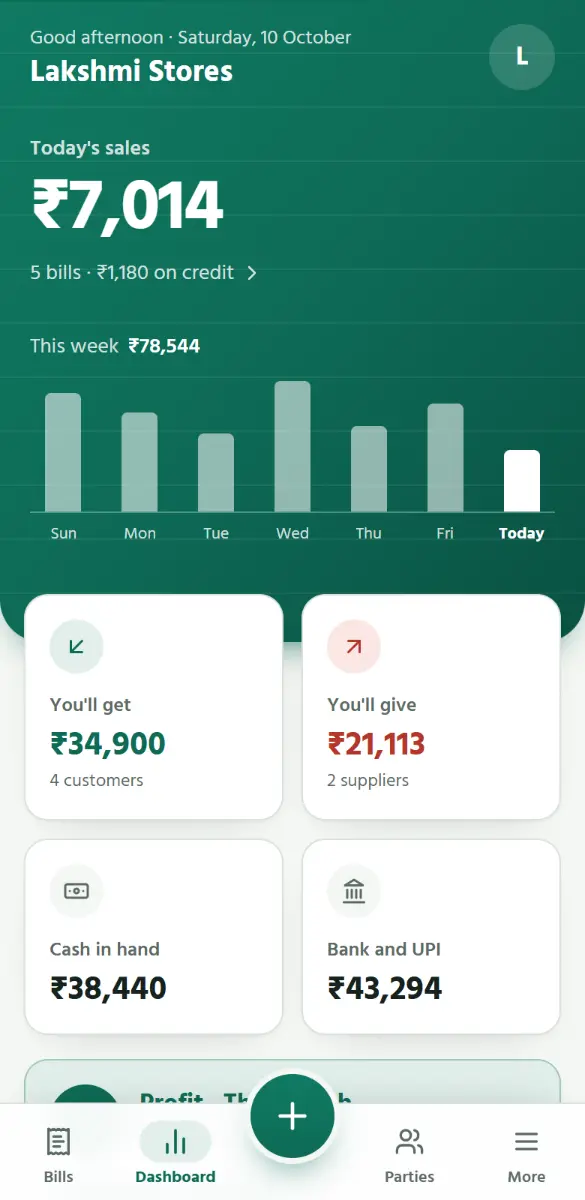
The day book
One day at a glance: money in and out, in cash and in the bank, what the cash drawer should hold now, and every bill, payment and expense in order. A sale on credit is listed, but adds nothing to the money in.
See how: The day book: today’s cash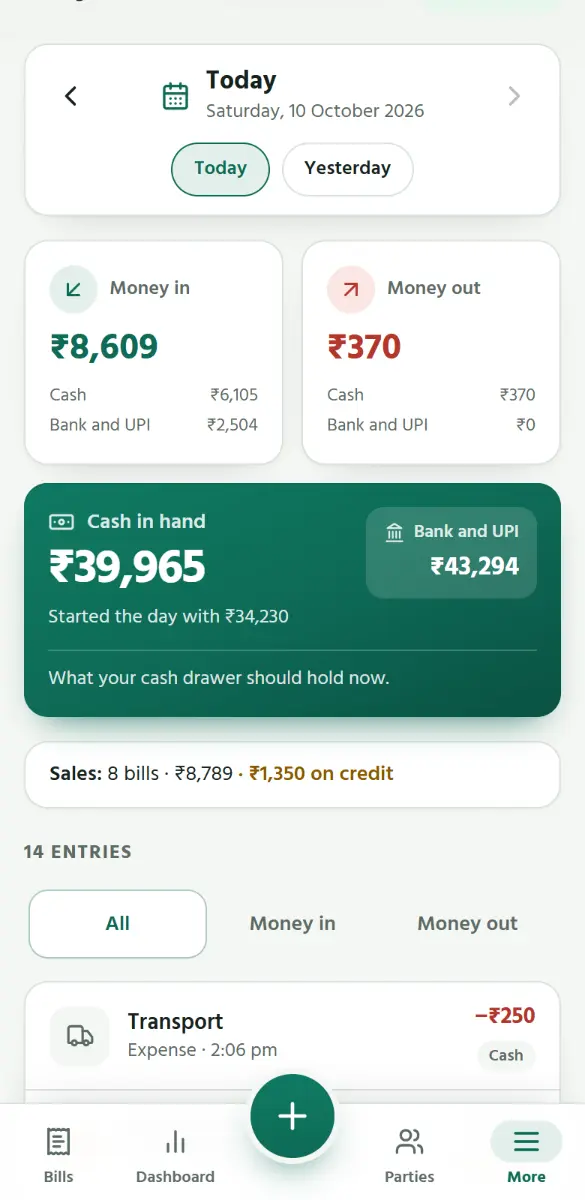
Profit and loss
The profit at a glance: sales less purchases and expenses, for today, the month, the financial year or all time, green with a plus or red with a minus. Reports go further: profit and loss for a month or a financial year, counting what the goods sold cost you, with the expenses by kind.
See how: Dashboard, profit and GST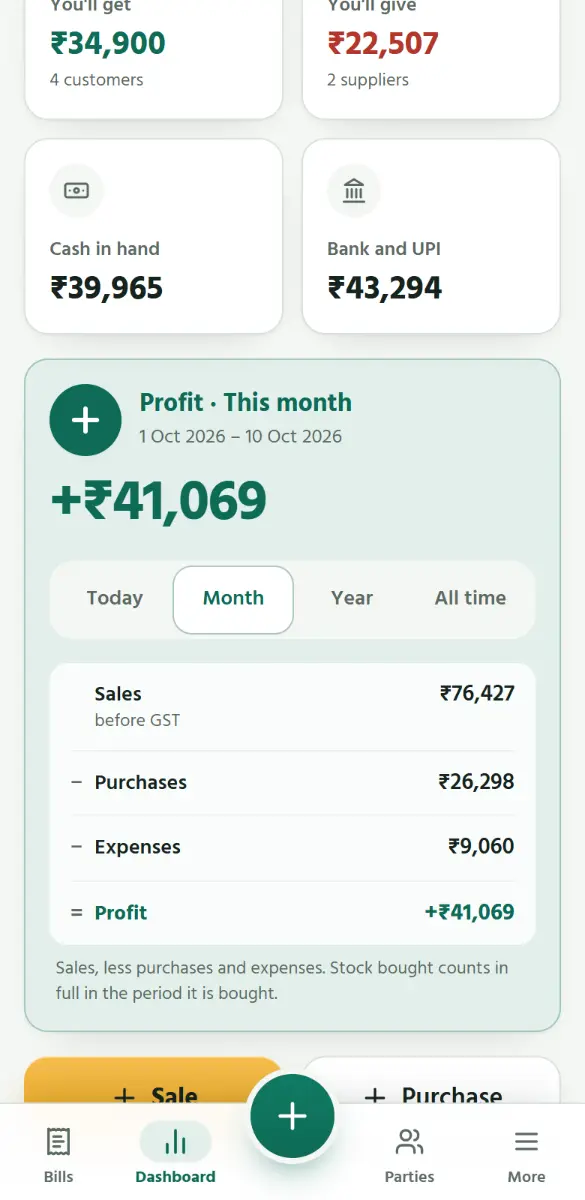
GST, ready for the return
What was charged on bills and paid on purchases, by rate, with CGST, SGST and IGST apart, and the GST left to pay. Bills are split into B2B and B2C the way the monthly return asks, and added up by HSN code.
See how: Dashboard, profit and GST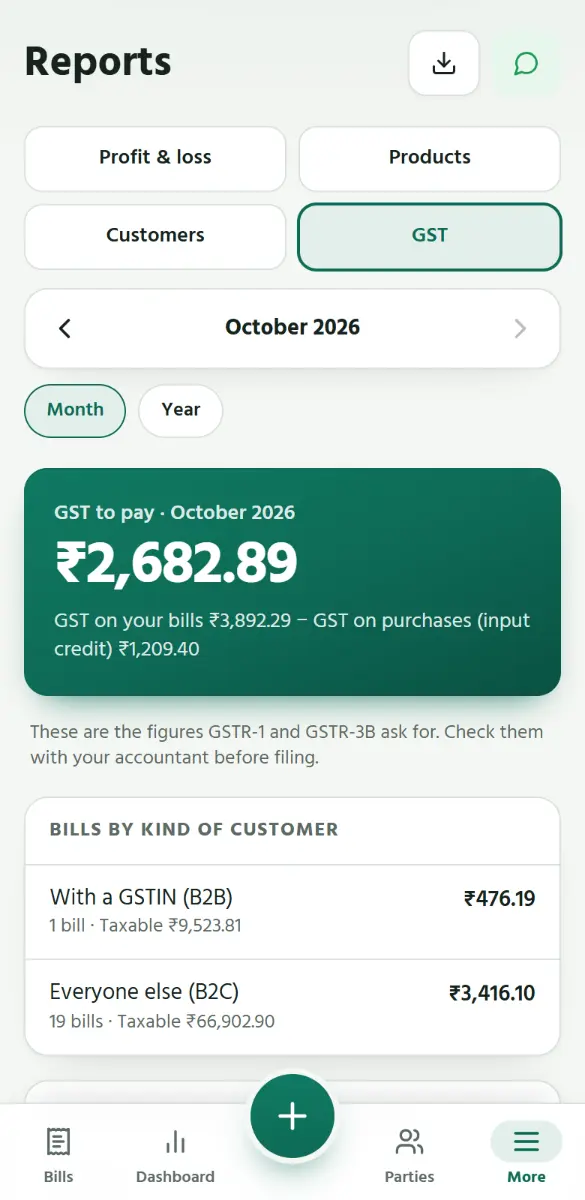
Files for your accountant
One tap downloads the GSTR-1 file that the GST portal’s offline tool reads (for a shop on regular GST), and lists that open in Excel: bills, purchases, the HSN summary, and sales by product and by customer.
See how: Dashboard, profit and GST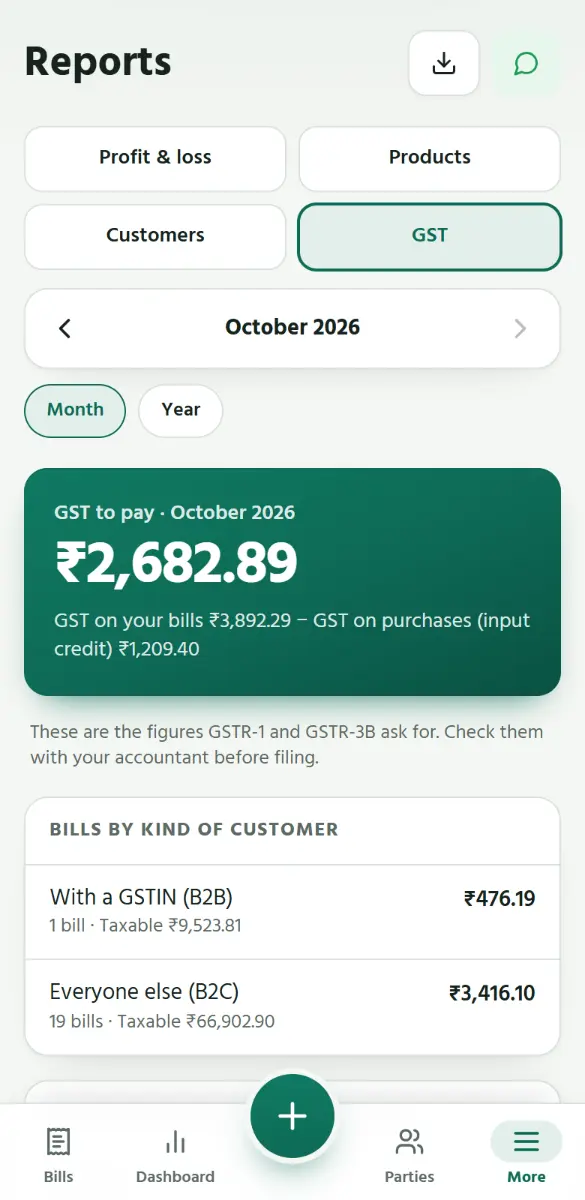
Expenses, by kind
Rent, salary, EB, transport, tea and snacks: each month’s spending is added up by kind, and goes into the day book and the profit.
See how: Write down an expense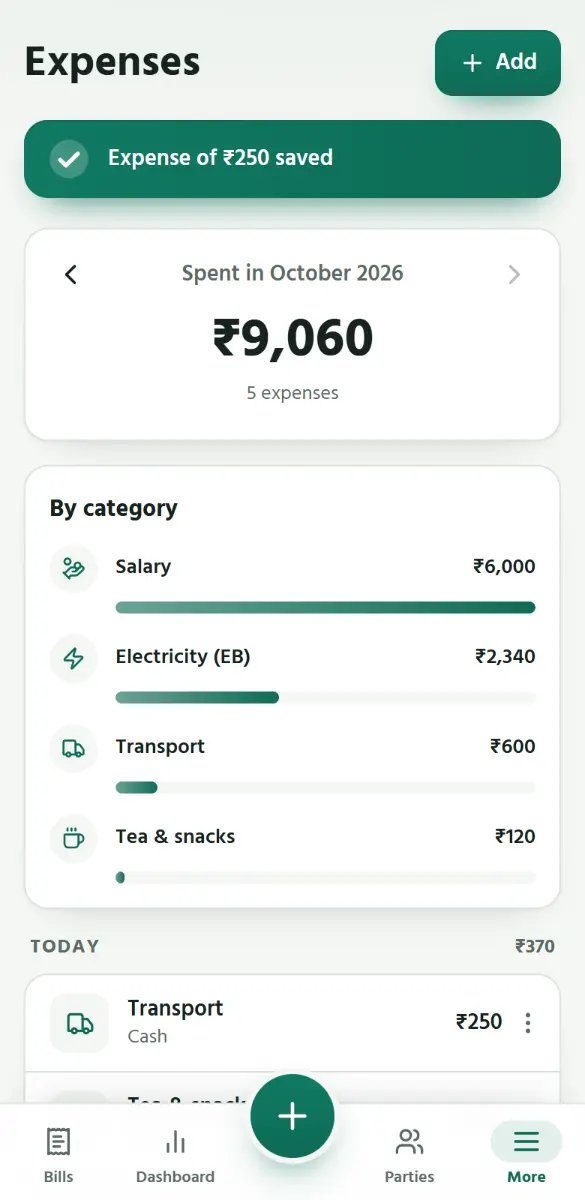
Purchases, and what you owe suppliers
A supplier’s bill goes in with its number and date, at what the goods cost you, with the GST paid on it, and the goods go into stock. What you still owe them is kept, and Pay supplier settles it.
See how: A purchase from a supplier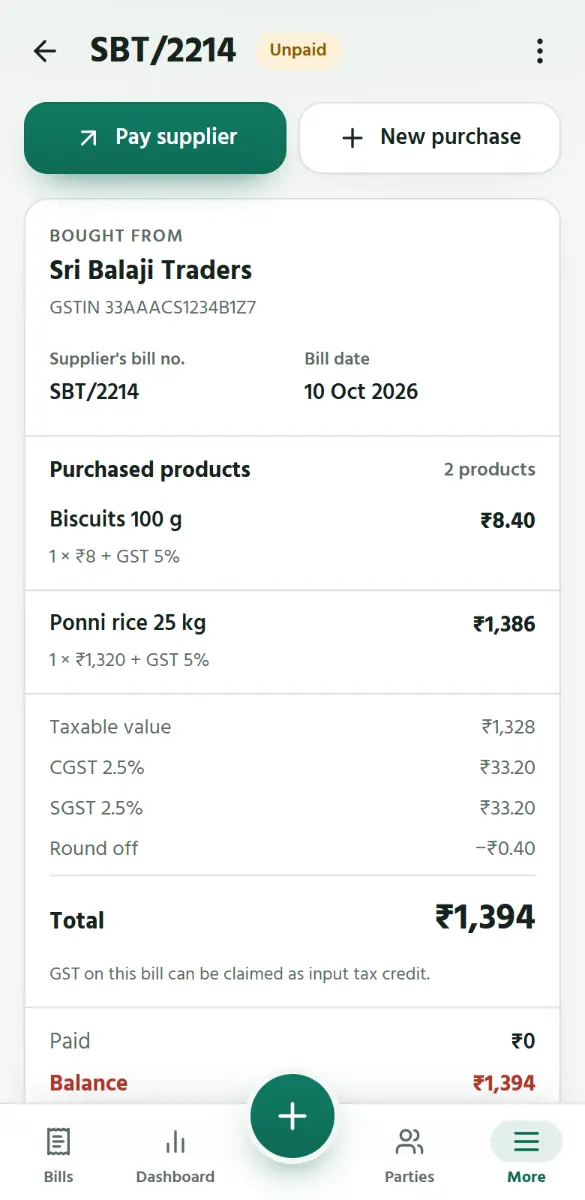
Try it in your shop
Free to start. No card needed.
Start free